
Opinion
Even G2 2.4.0 puts the conversation records you choose into Knowledge Base
Read App Store version 2.4.0 and the privacy notice effective October 30, 2026. Knowledge Base holds only the records and files you add. The Conversate support page does not use the name Pro Mode.
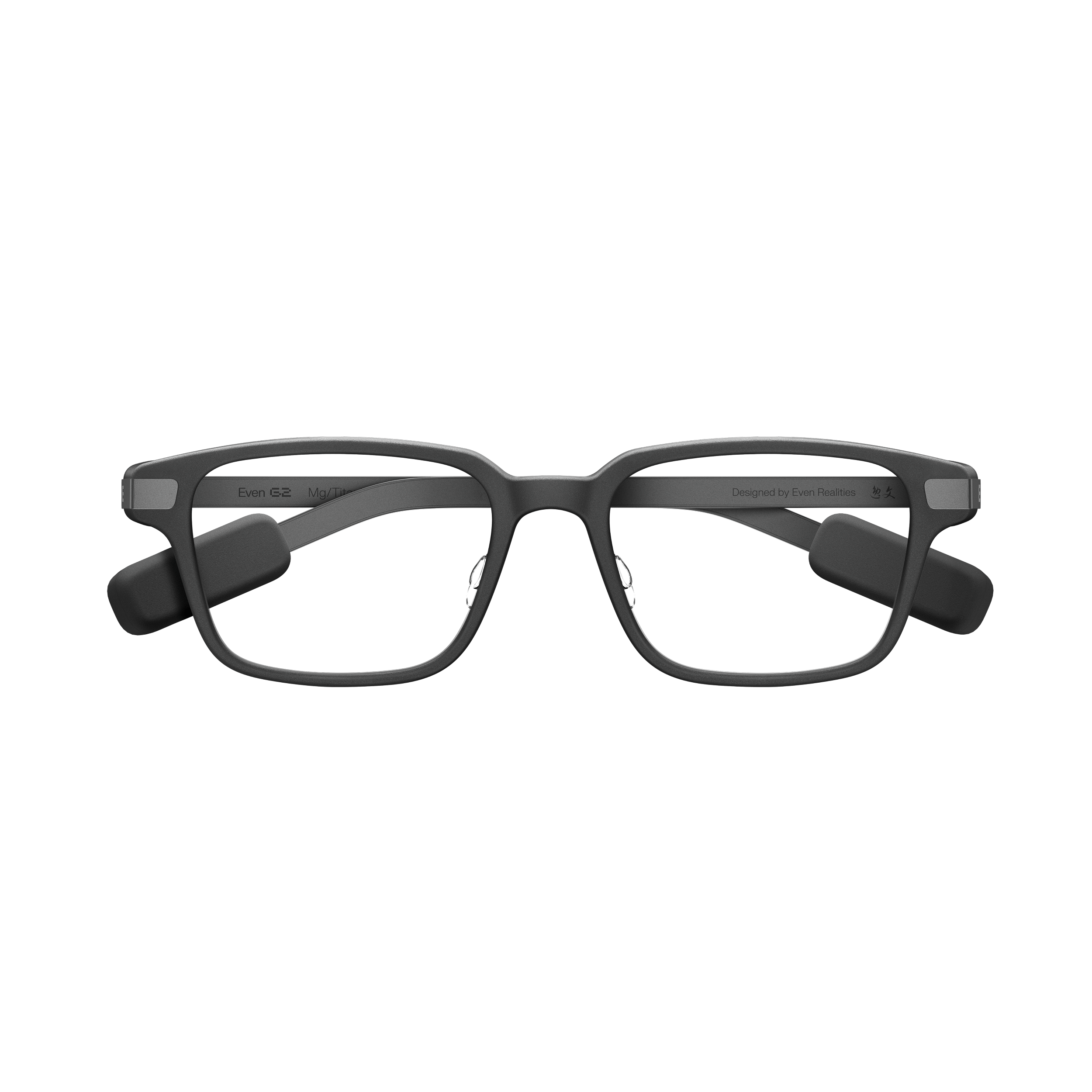
My everyday pair is the Even G2. It has no camera. I read notifications and translations on the display. App 2.4.0 does not change resolution or field of view. The store release notes name Knowledge Base for conversation records you choose to keep, Conversate Pro Mode, Even AI controls, and a dark app theme.
Even Realities (App Store, version 2.4.0)
Knowledge Base takes only the records and files you add yourself
The App Store history I opened on October 30, 2026 said “2.4.0 3d ago” and gave no calendar date. Item 1 says: “Knowledge Base (Beta) turns the Conversate records you choose and the files you add into a growing, organized source of personal knowledge.”
Items 1 through 3 and the firmware note are also in Google Play’s What’s new. That page says Updated on Oct 26, 2026. Play’s What’s new did not include App Store item 4, “Added a dark theme to the Even Realities App.”
Even Realities (Google Play, updated 2026-10-26)
The on and off controls are in the privacy notice effective October 30, 2026. The entity is Even Realities GmbH. It says Knowledge Base builds a personal knowledge base from documents you upload and Conversate Records you authorize. Even AI and Conversate may use that knowledge base for responses, cues, and suggestions.
The conditions are separate. Knowledge Base requires AI Memory to be on. Turning AI Memory on does not turn Knowledge Base on by itself. AI Memory is at Settings > Privacy > Use AI Memory. Knowledge Base is enabled, disabled, and managed in its own settings.
The notice also lists how sources get in. Upload a document. Import Records during onboarding. Add them by hand afterward. Turning on Auto sync new Conversate Records periodically syncs new Records. The notice says a source is not used unless you upload it, add it by hand, or turn on that automatic sync.
Deletion is separate too. Delete in Knowledge Base Settings removes data Knowledge Base created and does not delete the Conversate Records themselves. Removing a record from Sources only removes it as a knowledge-base source. It does not delete the conversation history. Conversations and cloud-synced files are deleted at Settings > Privacy > File and Record Cloud Sync. The notice also says this feature is not a cloud backup of conversations or files.
There is one sentence on training. Personal data processed through the AI Personalization Features is not used to train or optimize general models for all users. It is not used for advertising or marketing either.
Sensitive information is whatever you put in. The notice says Knowledge Base processes the contents of documents and Conversate Records you add. It asks you not to add health, financial, or identity information unless you need to. The ways to stop that are removing the source, turning Knowledge Base off, or turning off Use AI Memory.
The April 3, 2026 Even Insider post says Conversate 2.0 went to all users on March 26. In that post the knowledge base is “in the near future,” and Prep Notes context files are used only for the session. The October 30 notice describes the later beta with on and delete steps. On the camera, the April 3 sentence is “We engineered the Even G2 without a camera.” The 2.4.0 release notes do not add a camera.
Context without compromise(Even Insider、2026-04-03)
Privacy Notice for AI Personalization Features (effective 2026-10-30)
Pro Mode is one sentence in the release notes, and the help page does not use that name
Item 2 is this: “Conversate Pro Mode (Beta) delivers smarter AI Cues during conversations and deeper Insights afterward.”
The Conversate support page I opened the same day, October 30, lists AI Cues as Concepts, Bios, Answers, and Suggestions. After a conversation it organizes Summary, Cue List, and Transcription. Summary contains overview, key conclusions, detailed discussion points, and next steps. That page does not use the words Pro Mode or Insights.
There are three ways to start. Open Conversate in the app and tap Start. On the glasses, swipe the menu to Conversate and single-tap the touchpad. Or say “Hey Even, start Conversate.” End it with End in the app, or double-tap the glasses or R1 touchpad while it is running. Export is PDF, DOCX, or TXT.
The one sentence in the release notes does not say whether Pro Mode adds cues beyond those four or changes the Summary headings. The 9to5Google write-up stays an index card.
The new Even AI needs firmware 2.4.0 on both G2 and R1
Item 3 is “Even AI expands what you can do with AI and offers a more natural way to interact with Even G2.” The note is “The new Even AI experience requires firmware v2.4.0 on both Even G2 and Even R1.”
The firmware steps are on the support page. In the app, open My Devices, select the connected Even G2, then Glasses Info, Firmware Version, and Update. During the update the glasses stay on the charger with the battery above 50%. Keep the app in the foreground. Do not lock the screen or switch apps.
The Even AI support page lists two ways to start: “Hey Even,” or a single tap on Even AI in the menu. With Continuous listening on, follow-up questions in the same conversation do not repeat “Hey Even.” Search is Even Search or Perplexity. That page does not say which items arrived in 2.4.0. The release note requires both G2 and R1 on 2.4.0 for the new experience. The note does not say how far the new Even AI runs without R1.
The support spec table is still 640×350, 27.5° field of view, 60Hz, 1200 nits, Micro LED, and a waveguide. The capability line is Four Microphones. There is no speaker row and no camera row.
In an October 28 post I split Even G2’s inputs and outputs this way. Glasses to person: a display is enough, so no speaker. Person to glasses: a microphone is enough, so no camera.
2.4.0 keeps the camera off and uses the conversation records you add, from what the microphone picked up, in later responses. Automatic sync runs only when you turn it on. I have not yet written a record of wearing this firmware and comparing Pro Mode. If shooting comes first, the reference is still the current Rokid Glasses. I wrote about translation readability in another article.
The author’s Even G2 was provided by Even Realities Japan.
 Even G2