
Hands-on review
INMO GO3 review: a week of strengths and frustrations—start with the glasses
Swappable batteries and fast translation are appealing. What about sore ears, slow shooting and Ring4 controls? A week with INMO GO3, illustrated with photos and comparisons to help you decide.
First published:note
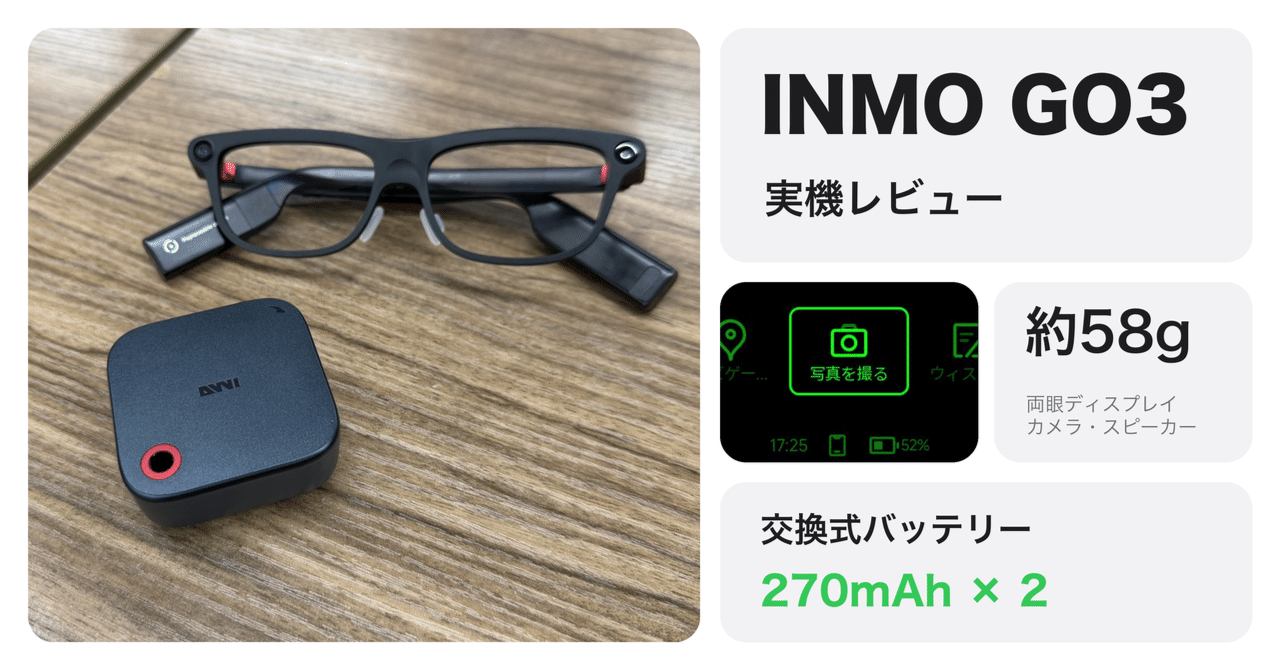
I spent a week wearing INMO GO3 instead of my other smart glasses. One device lets you try translation, captions and photography, with a battery you can swap. But sore ears, camera startup and the Ring4 controller left me frustrated.
The glasses and charging case are enough to start with. They are interesting if you want to experiment with translation and photography. If you want glasses to wear every day, read about comfort and camera usability before deciding.
Conclusion after using it for 1 week
- Why consider it
- Fast translation on the display, with swappable batteries that reduce charging downtime.
- The compromises
- My ears hurt after extended wear. The wait before taking a shot and nighttime image quality also disappoint.
- Be selective about accessories
- Ring4 is awkward to control and did not fit my finger. Face recognition was unavailable during my review.
Below, photos illustrate comfort, controls, photography and translation. GO3 specifications are on thecatalog page. My experience switching between Rokid and Even G2 is also covered inthis comparison review.
All-in-one AI glasses built around translation and recording
GO3 displays captions and translations, records and summarizes meetings, and adds a camera and AI assistant. Here are the main specifications in the context of using it.
| Item | GO3 configuration |
|---|---|
| Display | Binocular green monochrome Micro-LED; 640 × 480 resolution, 30° field of view |
| Camera and audio | Camera, microphones and speakers, with a physical camera cover |
| Fit | About 58 g; prescription lenses use the included insert frame |
| Power | Two replaceable 270 mAh batteries included |
| Main uses | Translation, captions, teleprompter, meeting recording and summaries, navigation, AI assistant |
I backed the Kickstarter package with Ring4 and received it in early October. The glasses and charging case were $499, or $549 with Ring4 or a speaker, under thecampaign's original packages. For current Japanese purchase options and configurations, see thePurchase guideat the end of this article.
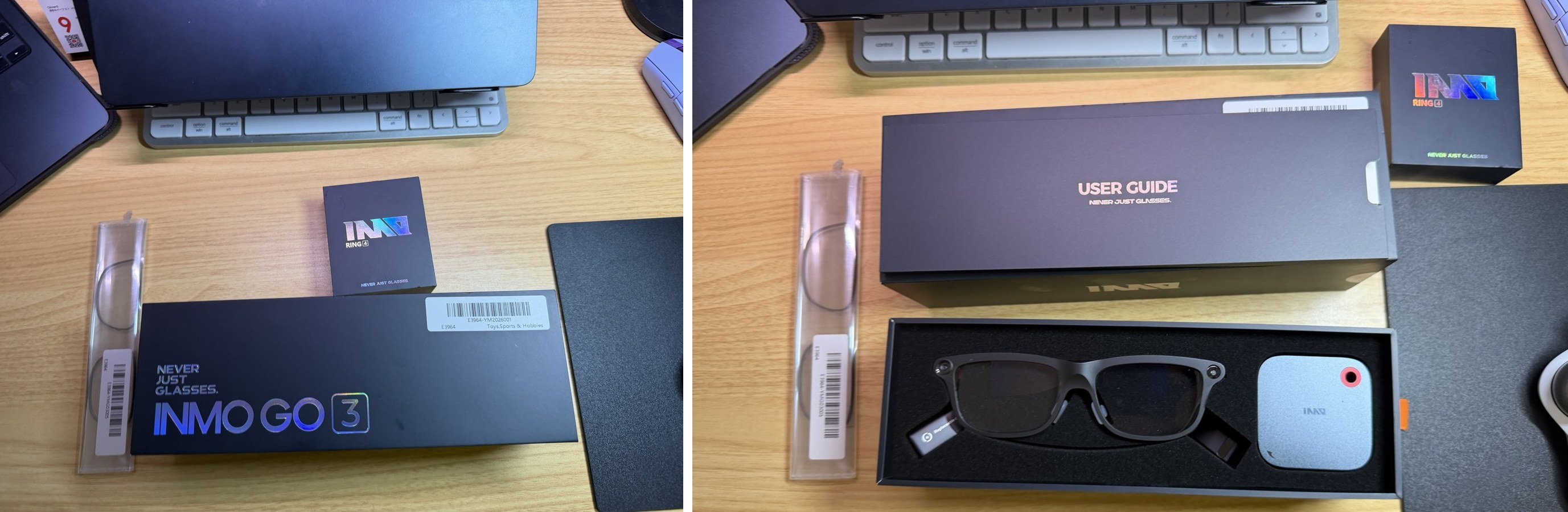
The box contained the glasses, charging case and a frame for prescription lens inserts. Ring4 arrived in a separate box.
Natural looks, but my ears hurt
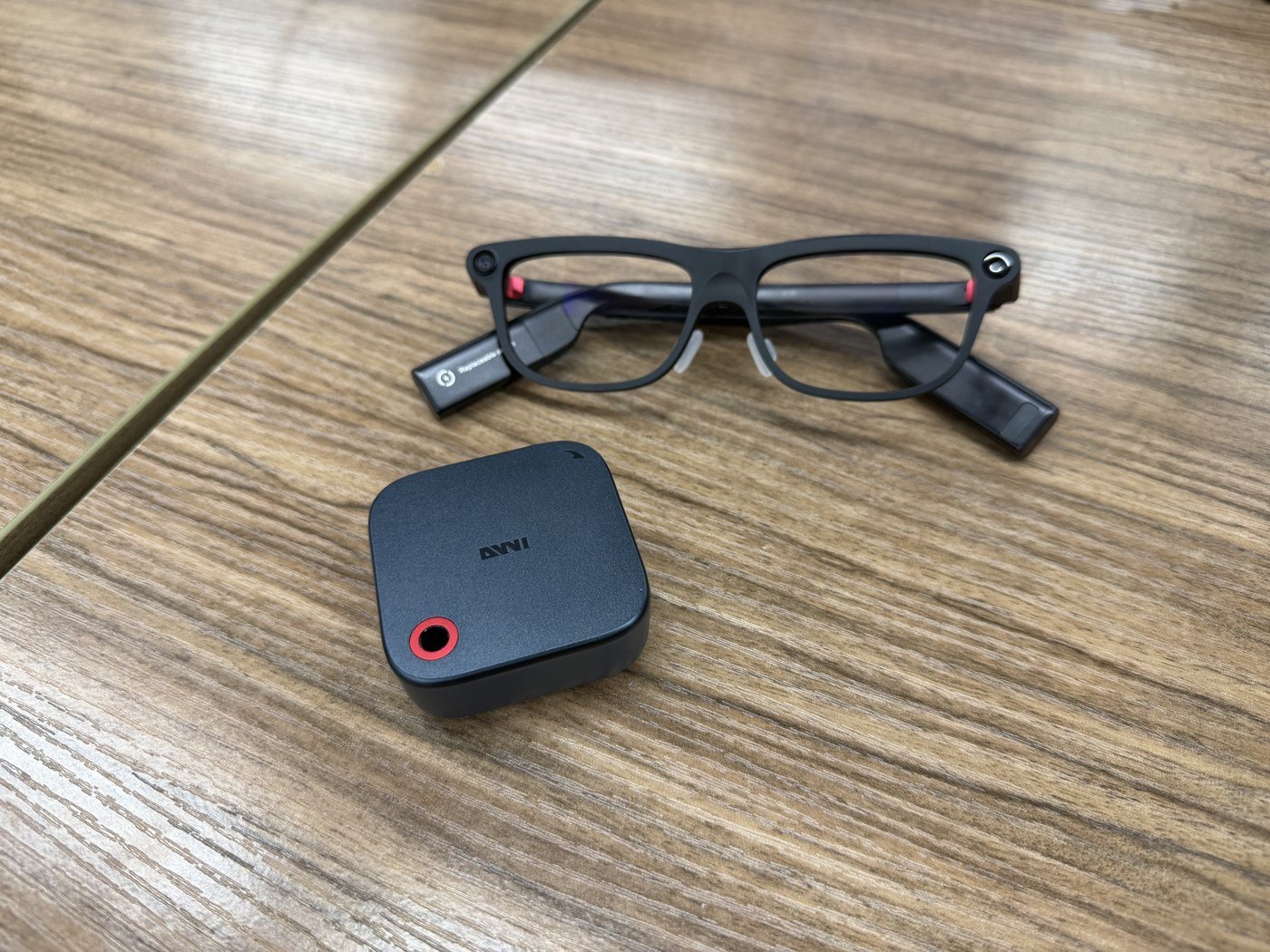
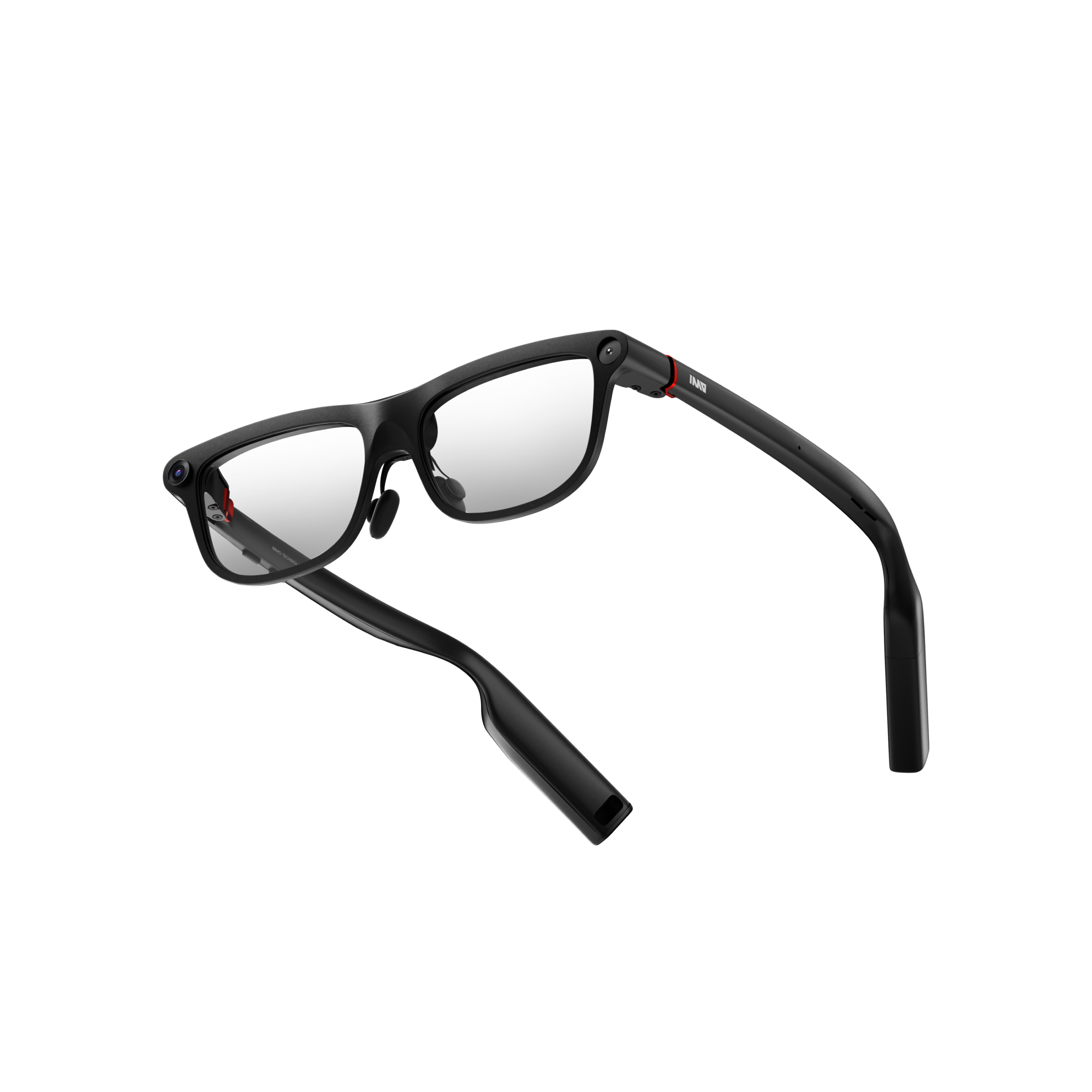
My first impression out of the box was the quality of the finish. From the front, the frame is slim and looks much less like a gadget. It could pass for ordinary glasses. It does not feel quite as premium as Even, but it comes close. The surface also resists fingerprints, which helps with something you handle every day.
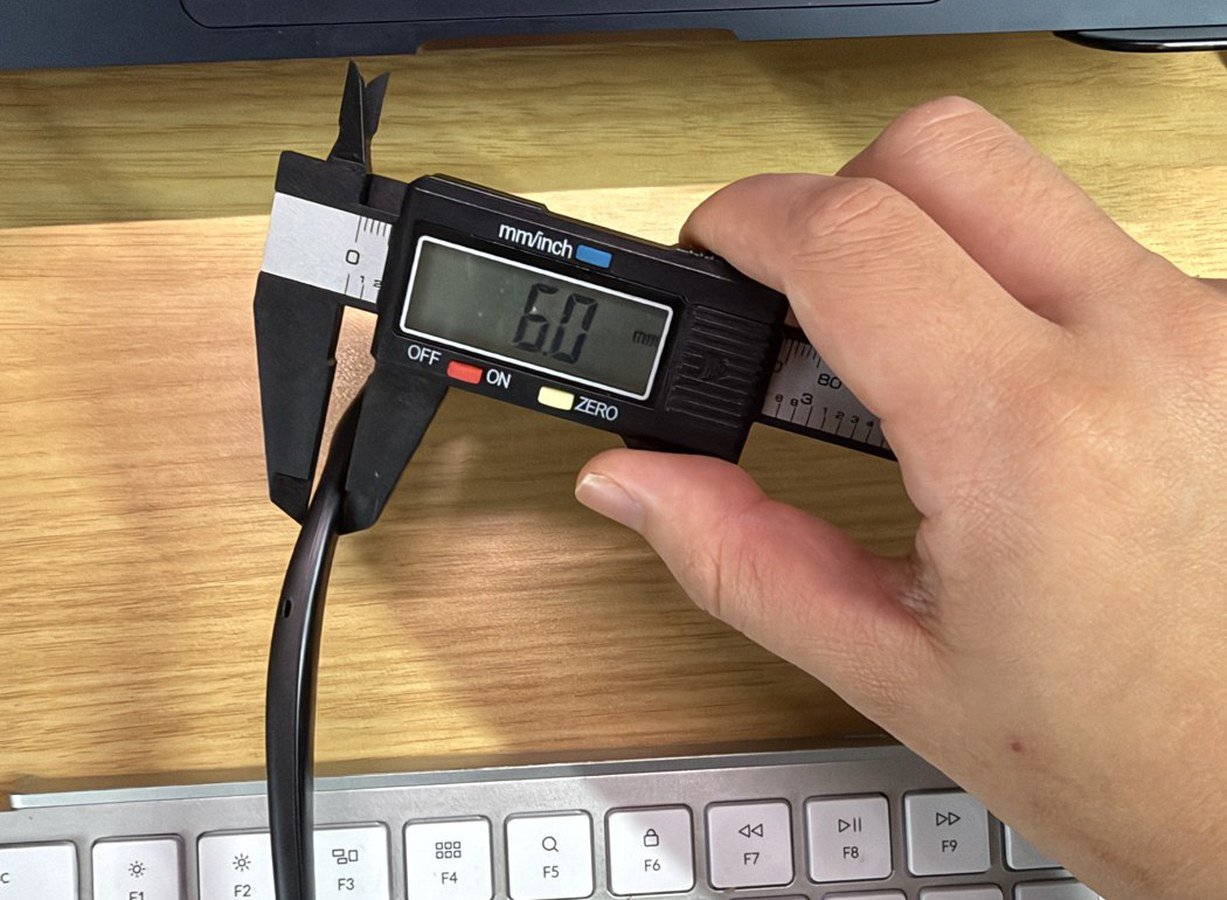
The part that bothered me was where the temples touch my ears. The battery sits at the rear of the temple, making that section thick: 6.0 mm measured with calipers. Some people may find extended wear painful. My ears hurt a little. The looks approach ordinary glasses, but the comfort does not quite match them yet.
I did not fit prescription lenses for this review. People who need them use lenses fitted to the included insert frame.
Touch controls you can locate by feel
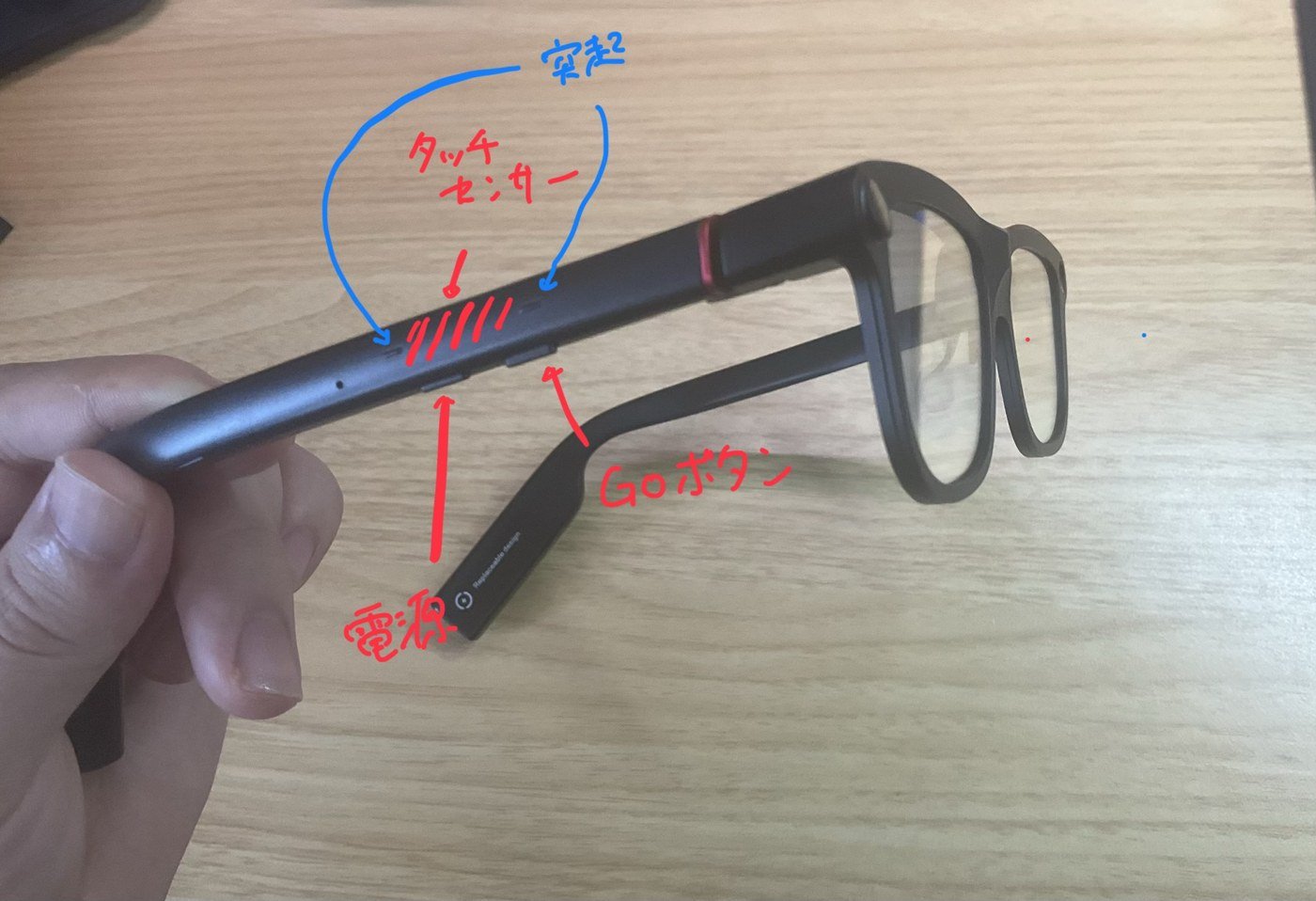
The controls are grouped on the right temple. There are two buttons underneath toward the front: the power button nearer to me and the GO button farther forward. You can assign a function to the GO button.
The side is a touch sensor operated with swipes and long presses. Small bumps at both ends of the touch area are a particularly good detail: you can feel where the usable area begins and ends. Such tactile cues matter when operating glasses somewhere you cannot see.

The menu sits in a horizontal row at the bottom of the view. Swipe left or right to select an item.
I honestly cannot recommend the Ring4 controller
I also tried Ring4, the ring controller included in my Kickstarter package. My conclusion up front: I do not recommend it.
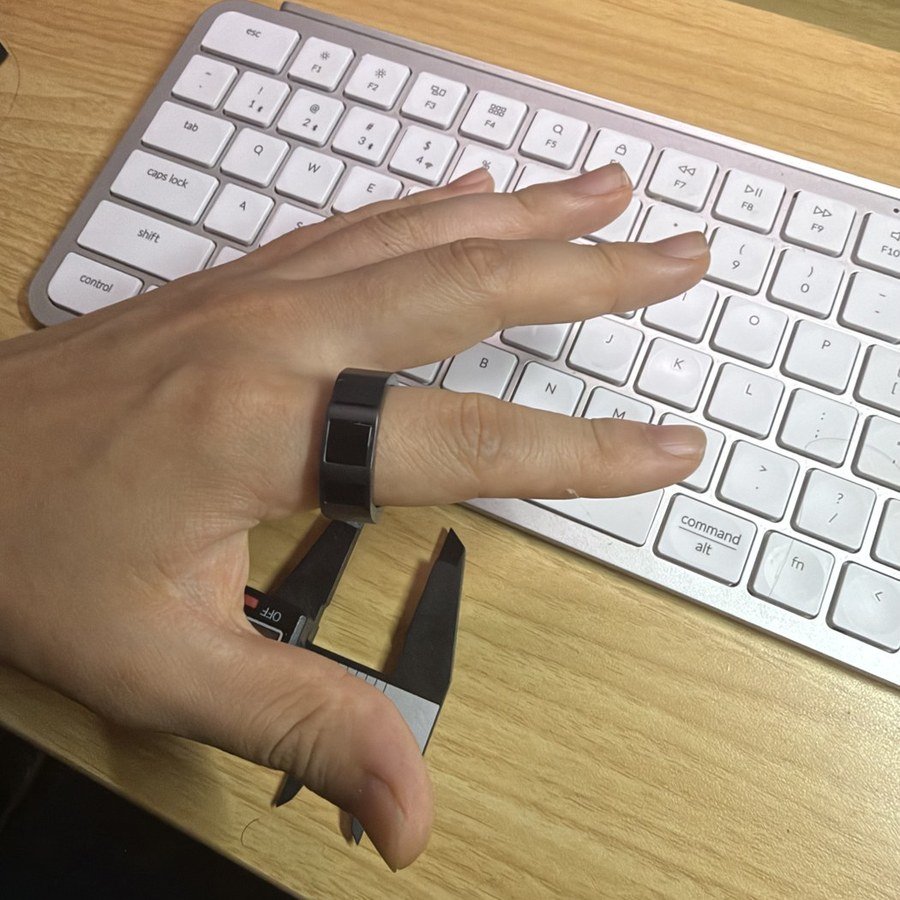
Ring4 offers almost the same controls as the temple's touch sensor and GO button: sideways swipes, clicks and long presses. All of them are awkward to use.
The biggest problem is the tiny touch area. You swipe at 90 degrees to the ring's circumference, from the base of your finger toward the tip. That gives you only the width of the ring to move across—hardly any travel. Even R1 lets you swipe around the ring, giving you more room. The direction of a swipe makes a large difference even between two ring controllers. Even R1 also comes in many sizes, avoiding the loose fit I encountered here.
Even R1 is a controller for Even G2, not a replacement controller for GO3. I describe its usability in myEven R1 reviewin more detail.
The size did not work for me either. Ring4 comes in only one size, and it is quite large. Even on my adult male hand, it was loose and rotated around my finger.
Once connected, the ring's battery level appears in the glasses' menu.
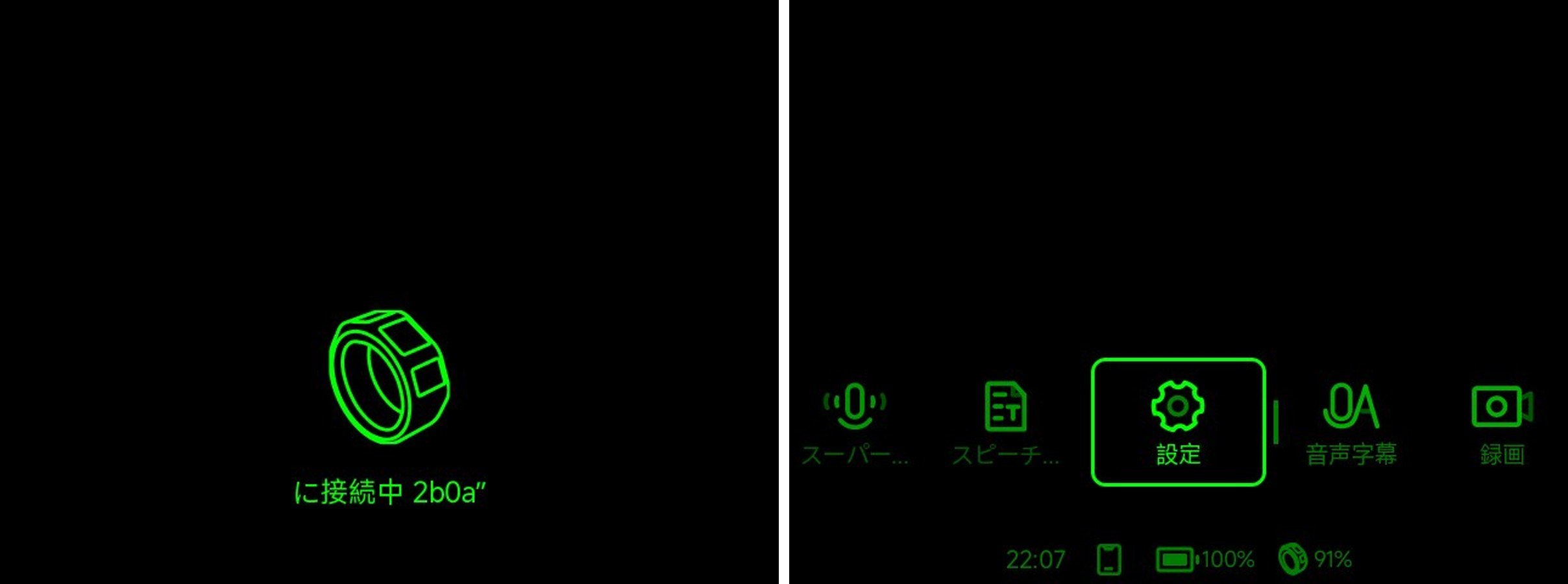
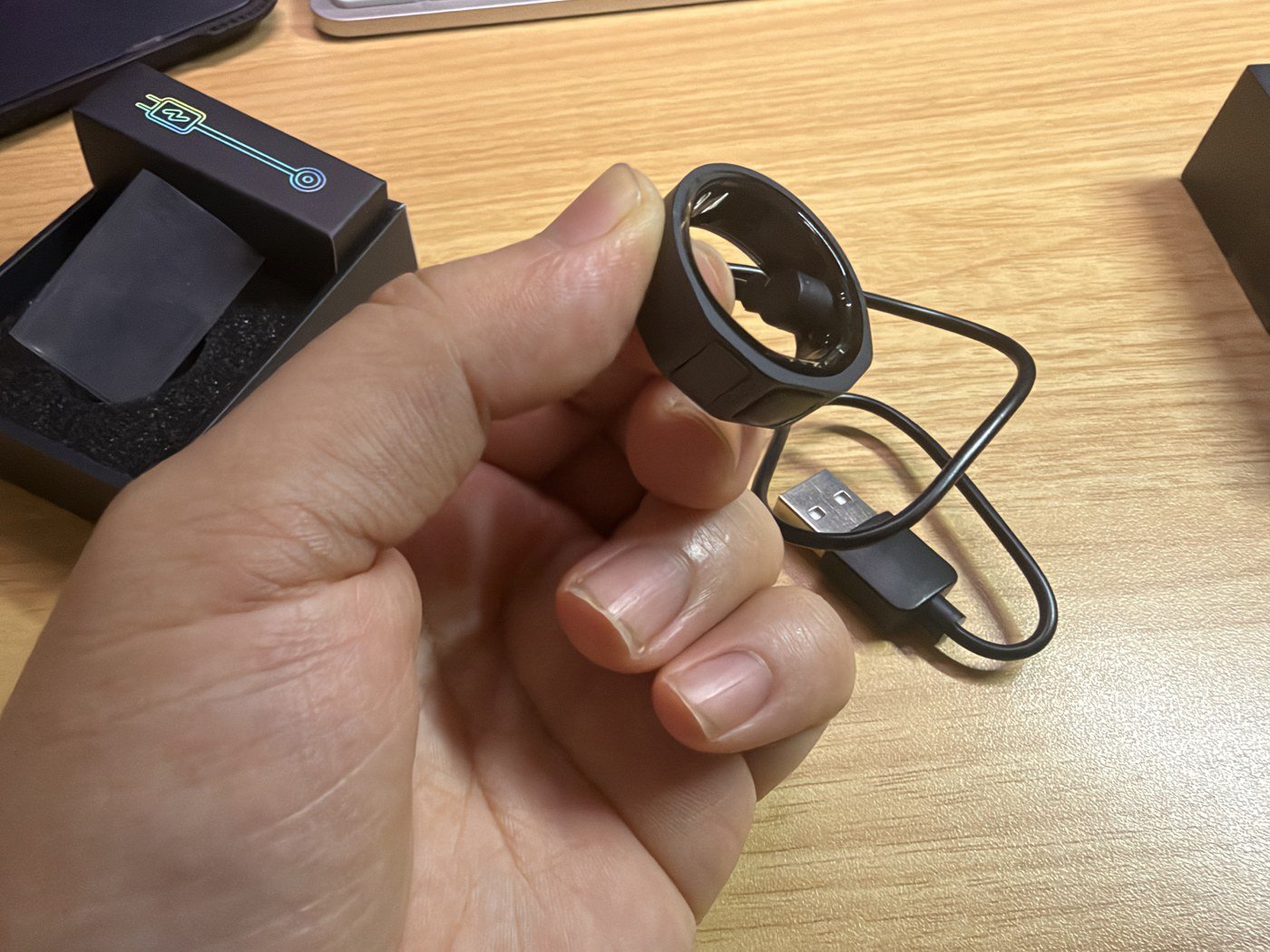
Charging takes a little effort too. The connector on a dedicated cable attaches magnetically, which seems understandable for this size and shape. Still, it is less convenient than simply setting Even R1 down to charge.
It is interesting to try the full range of features. But I did not want to use it every day as a ring.
Too many steps before the camera takes a shot
Taking a photo with GO3 means pressing a button to open the menu, selecting the camera, and finally shooting. Assigning the camera to the GO button reduces the steps, but startup still takes about a second, followed by another short wait before it automatically takes a photo.
A second may not sound like much, but the moment you want to capture will not wait. By the time the camera starts and takes a photo, a funny expression on my child's face is already gone.
The shooting screen also bothers me. While waiting to shoot, GO3 displays a shutter button and an instruction to click once to take a photo.

You cannot press that floating button with your finger. It feels like a phone camera interface transplanted onto glasses, without fully treating smart glasses as a different tool. Video is similar: the shutter button becomes a square and an elapsed-time counter appears. Each recording is limited to 60 seconds, which feels short. There is no preview of the photo after shooting either.
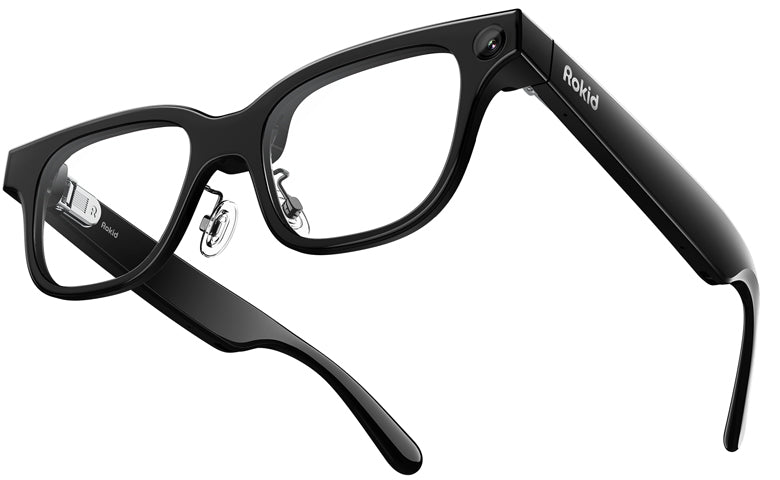
Image quality is a step below the Rokid Glasses I own. The difference is less obvious during the day, but side by side, Rokid looks more detailed. At night the difference is clear: streetlights and other bright sources bloom substantially on GO3.Rokid Glasses is officially rated at 12 megapixels (Sony IMX681). GO3's official specifications do not state a camera resolution; AI Watch's review reports 8 megapixels.

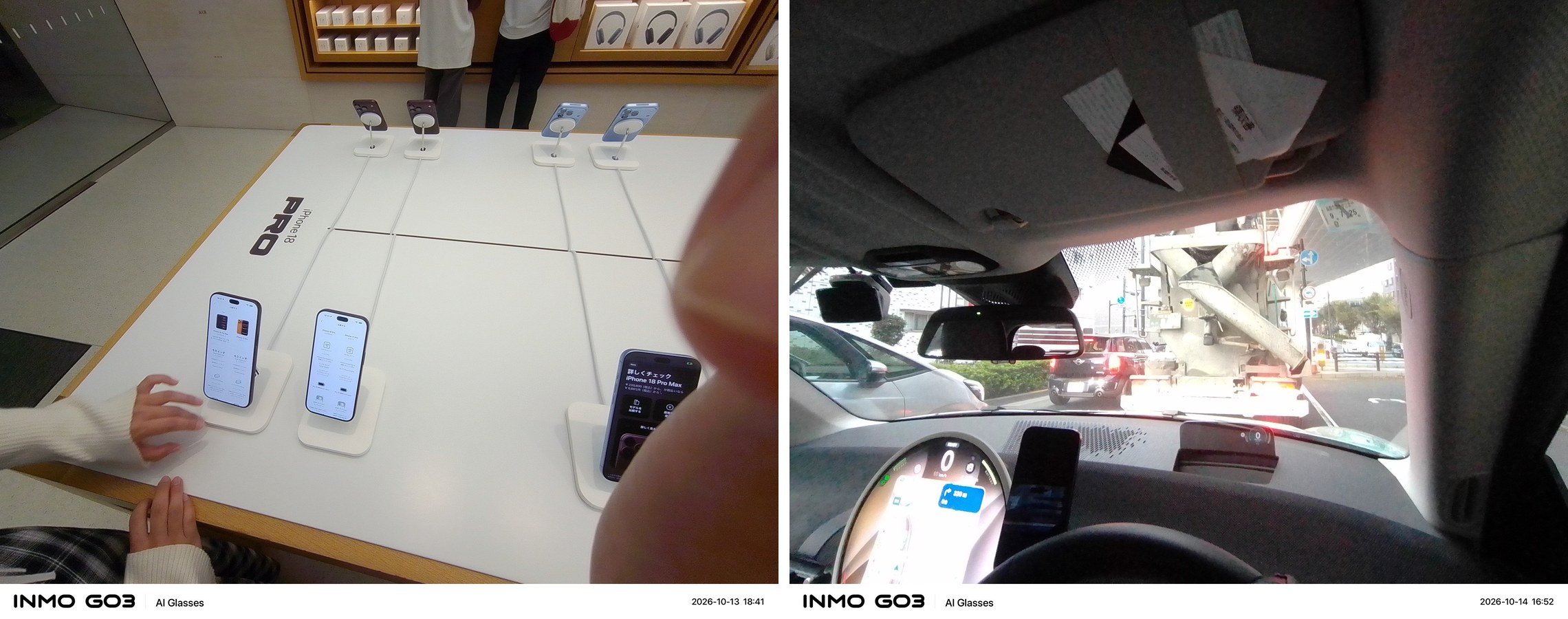
The camera still has uses. Hands-free shooting means I do not have to hold up a phone while playing with my child. An indicator lights during shooting so people nearby can tell it is recording. There is also a physical cover for the camera. I rarely used it, but including these features suggests the manufacturer understands how camera glasses may look to other people.
If nighttime photos matter to you, compare Rokid Glasses too. After looking at the examples above, theGO3 and Rokid specification comparisonshows how they differ beyond photography.
Captions and translations arrive quickly, a sentence at a time
Speech captions are generally correct. Japanese still has plenty of questionable passages, but I can roughly follow what is being said.
The way the display advances is interesting. It barely changes while someone is talking, then adds about a sentence of captions together. Compared with text appearing continuously, it feels as though you are waiting, but the sentence arrives quickly.
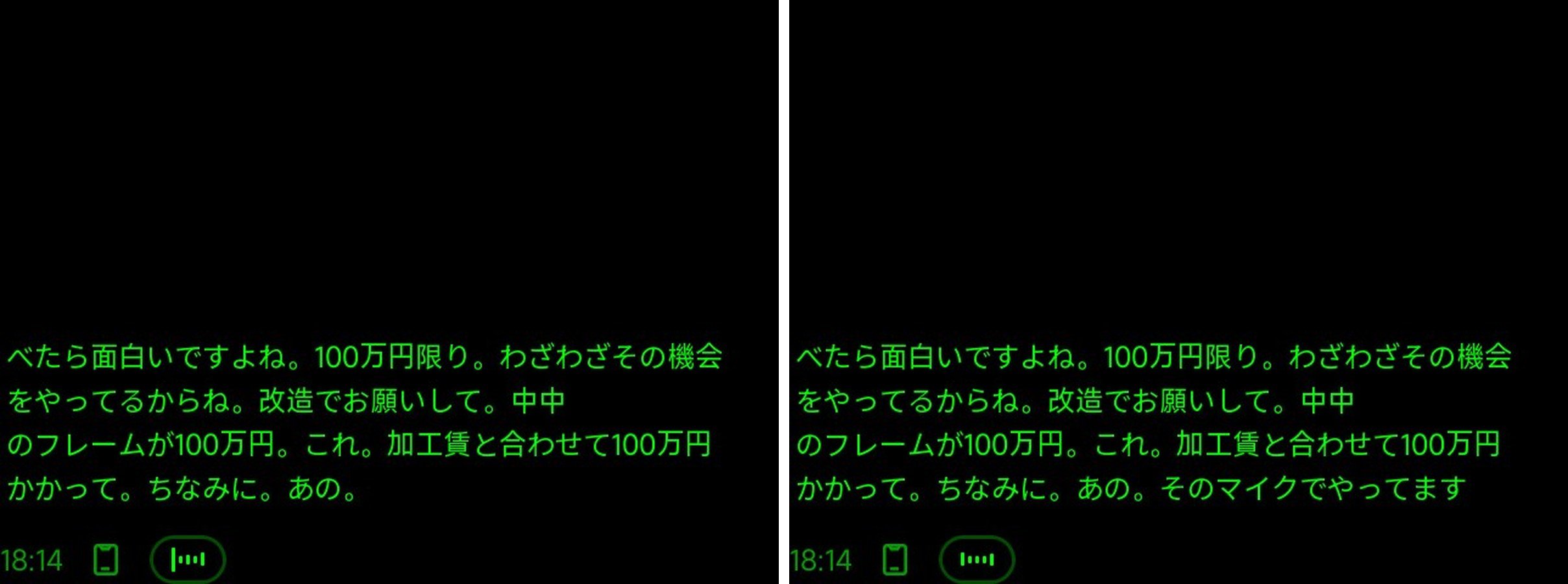
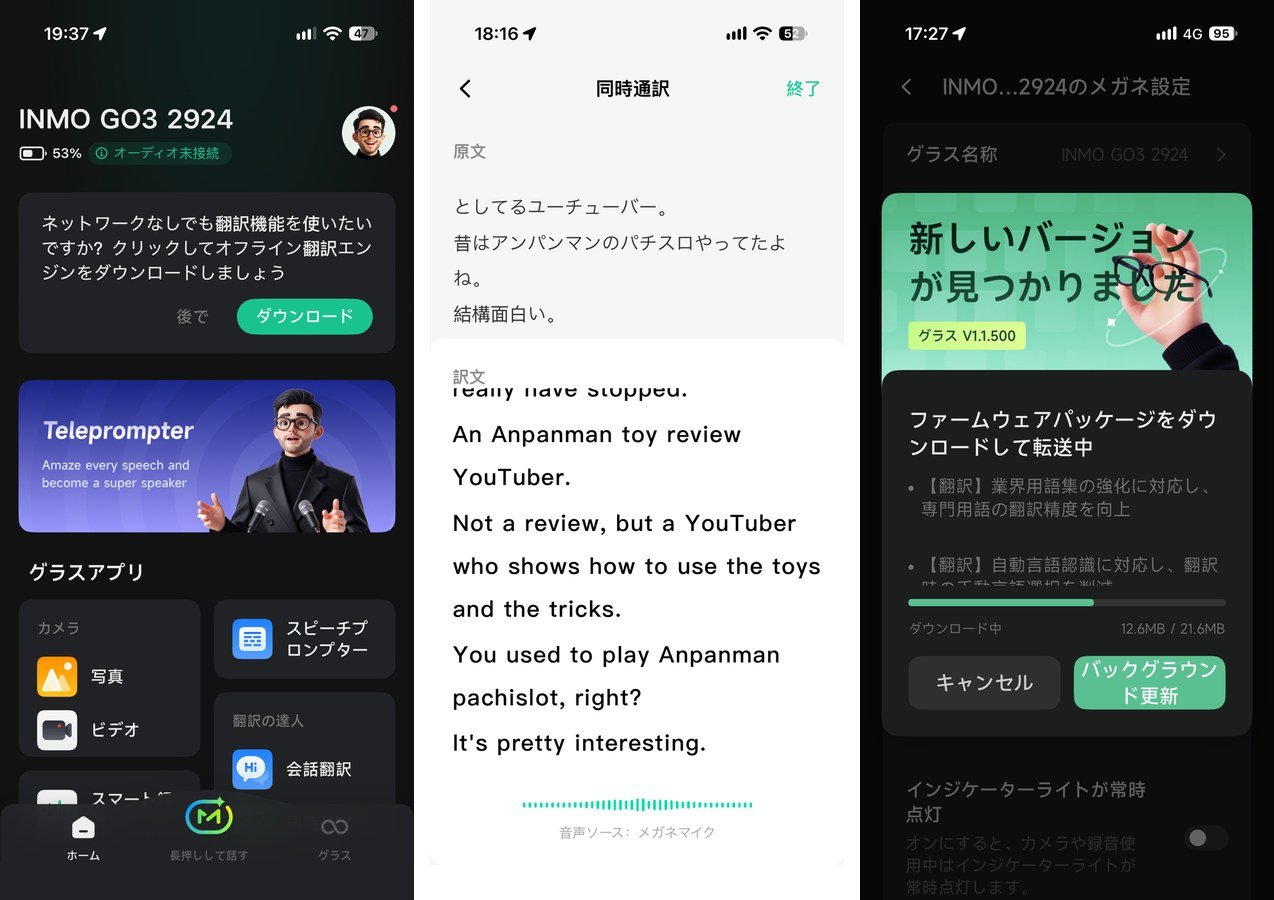
For translation, the original text and translation appear together in your view. The same content is saved in the phone app.

The appeal of swappable batteries
GO3's battery sits at the rear of the temple and detaches magnetically. Two 270 mAh batteries are included. Charge one while using the other, then swap when the charge gets low. Swapping turns the glasses off, so you need to press the power button to restart them. That is a minor nuisance.
GO3's capacity is not small. But the point here is less about ranking capacity than being able to swap in a spare.
| Model | Battery capacity | Charging and replacement |
|---|---|---|
| INMO GO3 | Two 270 mAh batteries included | Replaceable; restart required after swapping |
| Rokid Glasses | 210mAh | Built-in |
| Even G2 | 192mAh | Built-in |
Compare displays, cameras and batteries across all three models
Even so, the rated conversational translation runtime is three hours, which is difficult to call all-day use. With a camera and speakers in addition to the display, power drains quickly. The design makes up for limited runtime by letting you swap batteries.
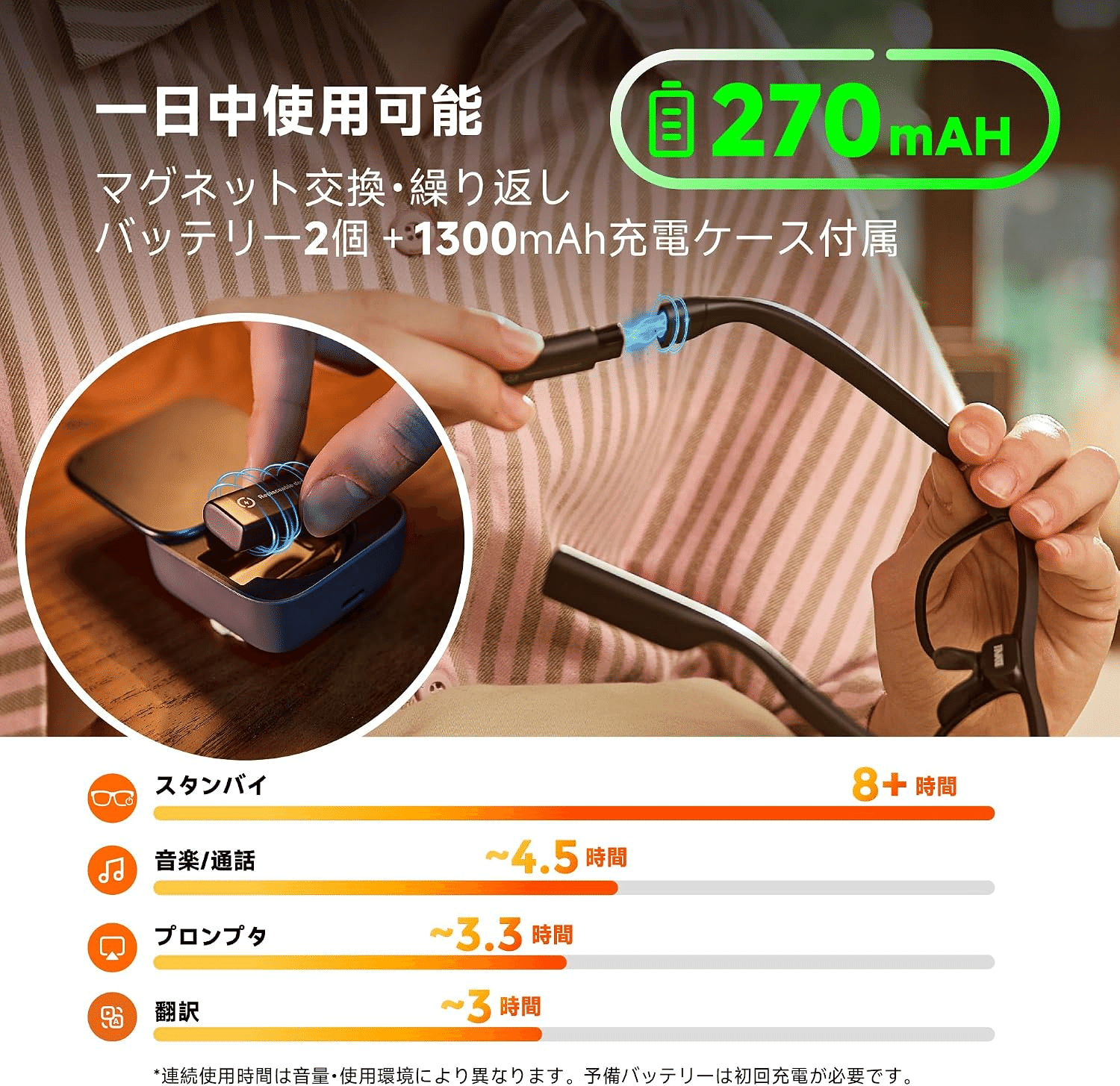
Translation is where this design is most useful. Conversational translation is rated for about three hours. If you need the translation display throughout a fixed session, such as interpreting, you can swap the battery and restart without waiting for charging. Glasses with a built-in battery cannot work this way.
For notification-focused use, I can leave the charger at home and swap the battery every morning for a day's use. It fits into a routine much like charging a phone each night.
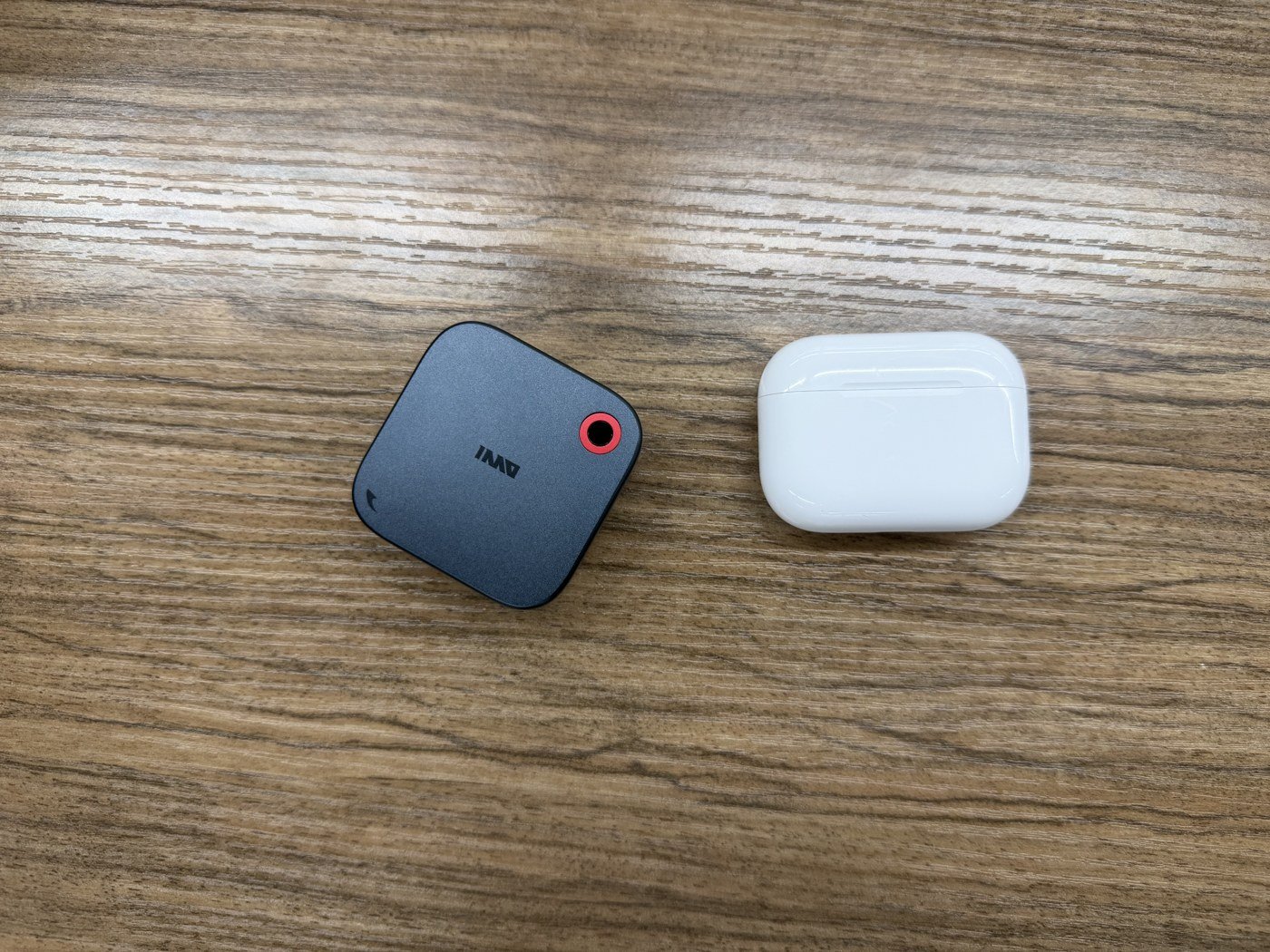
The downside is having more pieces. You carry batteries and a charging case separately from the glasses. The case is about the size of a wireless earbud case, so it is not a large burden, but separate pieces are easy to lose. It will not suit someone who dislikes keeping track of small items.
Face recognition has not arrived yet
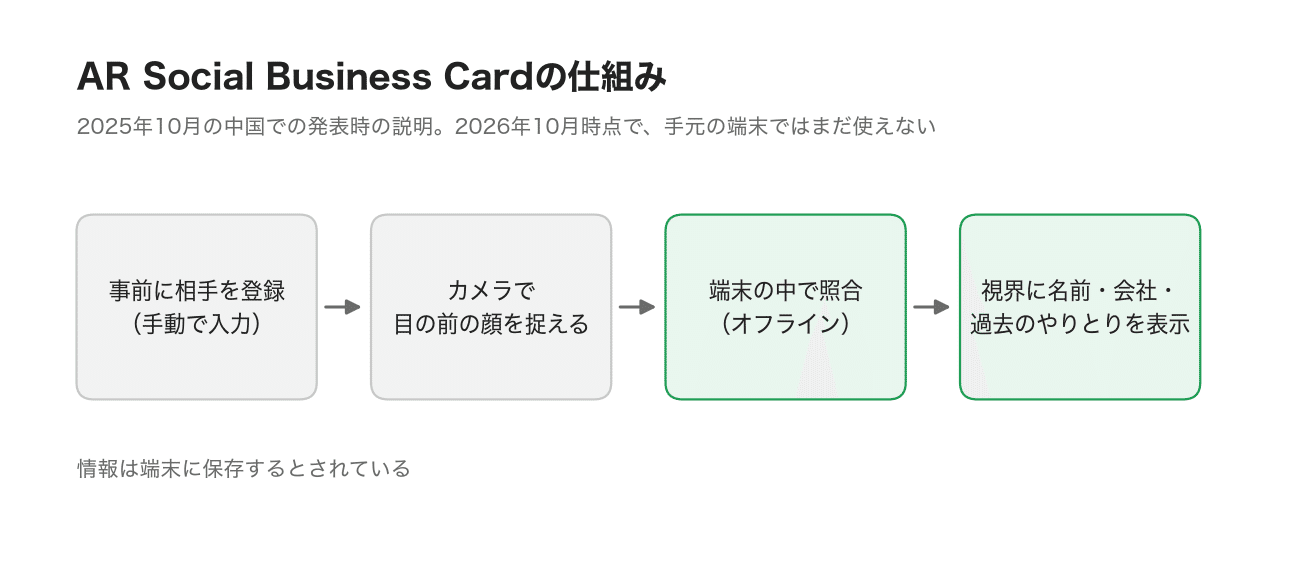
Finally, AR Social Business Card was another reason I bought GO3. The proposed feature displays the name, company and past interactions of the person in front of you while wearing the glasses. It was announced alongside GO3 in China on October 16, 2025. The first version was described as supporting manual registration and offline face recognition, with information stored on the device.
The feature was not available during this review. A recent update added a setting asking whether to use it. Preparations seem to be underway, but the feature itself has not arrived.
Face recognition is an ambitious move. Meta had been considering it too. On June 4, 2026, WIRED reported that code for an unreleased face-recognition system had been included in Meta AI, the app used with Meta's smart glasses.
A few days later, on June 8, WIRED reported that the code had disappeared from the latest app version. Meta did not explain why it removed it or whether it would return.
Even Meta, which sells Ray-Ban Meta glasses, had not openly entered this area. Many people would find it unsettling if a stranger pointed glasses at them and matched their face to a name. There are hurdles to using this in everyday life.
Personally, I am less concerned. Precisely because it is such an ambitious feature, I want to know what using it actually feels like. I would set the ethics debate aside for the moment, try it in a closed setting, and write about the experience. That is what I think someone who buys gadgets like this should do.
I also struggle to remember faces. There would certainly be situations where this could help me. When it becomes available, I intend to write a follow-up.
Start with the glasses. Ring4 can wait
The reasons to choose GO3 are being able to try translation, captions and photography in one device, and continuing to use it by swapping batteries. If you can accept the ear discomfort and camera delays, it is an interesting way to explore what camera glasses can do.
To start, the glasses and charging case are enough. Ring4 is too awkward to replace the onboard controls, so I do not recommend adding it. I have not used the optional wireless speaker, but I never felt I needed it.
| What to check before buying | How I would choose |
|---|---|
| Glasses and accessories | Start with the glasses and charging case; check the listing includes two batteries |
| Ring4 | Begin with the glasses' touch controls; do not add it at the outset |
| Prescription lenses | Budget for making the prescription lens inserts too |
| Face recognition | Not yet available. Decide based on the translation, captions and photography you can use now |
Where to buy INMO GO3 Ad
Check the price and included accessories
The Japanese model was introduced at ¥99,800 including tax. Check the actual selling price, seller and package contents, and start with the glasses.
Check INMO GO3 price and availability on Amazon ↗Still deciding? Compare the three models →I still find it hard to recommend as the main pair of glasses to wear every day. Parts of the software need refinement, and a developer system for installing your own apps was unavailable during my review. Still, there is enjoyment in trying translation and photography while following the software's progress. I will write again when face recognition becomes available.
 Even G2
 Rokid Glasses
 INMO GO3